This month I decided to put some quick and easy sensory bags in the Play-Learn-Read center.
I found the inspiration for this at Mrs. Kelly's Kindergarten blog.
Instead of hair gel I decided to use aloe because it was on clearance at the store. I also added duct tape and double bagged the aloe. These held up for about a week before they needed to be replaced. They take less than 5 minutes to make though, so I definitely think it was worth it.
Adding food coloring and glitter like the original post recommends definitely provides the contrast you need.
I included a fun literacy tip and directions. The kids love it!
Wednesday, November 20, 2013
Monday, November 11, 2013
Baby Book Bees
When I first came to my library they were already offering a fabulous 1,000 Books Before Kindergarten initiative. The name literally says it all. Basically, you encourage parents to read 1,000 books with their kids before kindergarten. This is a great initiative and the families in our area have responded very enthusiastically, but I felt like something was missing.
Our 1,000 Books program is marketed for children between the ages of 1-5. What about the babies under one? I've found that parents of infants are constantly looking for things to do. There are very few things for infants here, especially things that don't cost money. How could we better serve this population? The answer was Baby Book Bees.
Going off the model of 1,000 Books B4K, I decided to make it an initiative to get parents to read 100 books to their children before they turn one. Almost identical to our new 1,000 Books sheets, I made half-sheets for our parents with 25 shapes to fill in. On the back of each sheet there are four early literacy tips.
When a parent signs up, they are given a lovely yellow folder with information about the initiative, their first shape sheet, and a bib celebrating their enrollment.

Once the parent has read 25 books they come back and visit us. We make a huge fuss at the desk with lots of clapping, and then we give them stickers and a new sheet. They put their sticker on our 1000 Book Garden Wall on a matching bee.
Once they hit 100 books they get their own board book to keep. Plus, they are given a 100 book head-start on 1,000 Books B4K.
This is a wonderful program on so many levels. First, it creates at least 4 library visits by new parents. They are beginning to establish the tradition of coming to the library on a regular basis. It also is giving parents a powerful message of how important reading is to a child at any age. Plus, once the groundwork is laid for the program, it is not staff intensive at all!
To get the word out about this new initiative we decided to partner with the two local hospitals. Both hospitals give out a packet of information to each new mom during their hospital stay. We were able to get a half-sheet of information in these packets. They also agreed to put up posters in various offices that are visited frequently by new moms and in waiting rooms.
We decided we wanted to start with enough material for 200 participants and bought accordingly. We predicted we would get about 100 people enrolled within our first year. We officially launched a month ago and we have 28 people signed up! There was clearly a need for this in our community and we are overwhelmed with the great responses we've had from both parents and community members.
I applied for a Target Early Childhood Reading grant to get the initial funds. We were lucky enough to get chosen. If you have not looked at the grants before, please go visit. The grants are entirely online and the Target tech team is very helpful if you run into any glitches.
Are you offering anything for under ones? If not, you should consider Baby Book Bees!
Our 1,000 Books program is marketed for children between the ages of 1-5. What about the babies under one? I've found that parents of infants are constantly looking for things to do. There are very few things for infants here, especially things that don't cost money. How could we better serve this population? The answer was Baby Book Bees.
Going off the model of 1,000 Books B4K, I decided to make it an initiative to get parents to read 100 books to their children before they turn one. Almost identical to our new 1,000 Books sheets, I made half-sheets for our parents with 25 shapes to fill in. On the back of each sheet there are four early literacy tips.
When a parent signs up, they are given a lovely yellow folder with information about the initiative, their first shape sheet, and a bib celebrating their enrollment.

Once the parent has read 25 books they come back and visit us. We make a huge fuss at the desk with lots of clapping, and then we give them stickers and a new sheet. They put their sticker on our 1000 Book Garden Wall on a matching bee.
Once they hit 100 books they get their own board book to keep. Plus, they are given a 100 book head-start on 1,000 Books B4K.
This is a wonderful program on so many levels. First, it creates at least 4 library visits by new parents. They are beginning to establish the tradition of coming to the library on a regular basis. It also is giving parents a powerful message of how important reading is to a child at any age. Plus, once the groundwork is laid for the program, it is not staff intensive at all!
To get the word out about this new initiative we decided to partner with the two local hospitals. Both hospitals give out a packet of information to each new mom during their hospital stay. We were able to get a half-sheet of information in these packets. They also agreed to put up posters in various offices that are visited frequently by new moms and in waiting rooms.
We decided we wanted to start with enough material for 200 participants and bought accordingly. We predicted we would get about 100 people enrolled within our first year. We officially launched a month ago and we have 28 people signed up! There was clearly a need for this in our community and we are overwhelmed with the great responses we've had from both parents and community members.
I applied for a Target Early Childhood Reading grant to get the initial funds. We were lucky enough to get chosen. If you have not looked at the grants before, please go visit. The grants are entirely online and the Target tech team is very helpful if you run into any glitches.
Are you offering anything for under ones? If not, you should consider Baby Book Bees!
Friday, November 8, 2013
Flannel Friday-- Make a Turkey!
Inspired by Miss Courtney Meets Bobo, I decided to adapt her Thanksgiving idea into our Early Literacy Center. In our ELC we have a
magnetic/flannel board that we switch out every month. In October, we did a flannel decorating a pumpkin. This month, we decided to keep the holiday theme going and decorate a turkey! It is the easiest flannel activity I've ever made.
First, I made 8 feathers using different colors. Then, I simply made a turkey body. I found the clip art on google images and just copied it. None of the feathers are glued on, so they are always in different patterns, on random places of the turkey's body, and sometimes our turkey friend only has one feather on. I mean, if you have a zebra print feather, do you really need anything else?
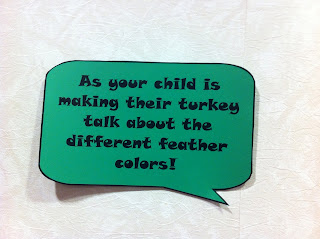
I always include a quick tip for parents who won't read a full sheet of paper.
For the parents who like reading more than one sentence, I also included some "Turkey Starters". I am really looking forward to hearing some turkey bedtime stories!
I think this will be a great activity to use during my baby storytime too. I am going to make enough feathers for each baby. Then, I will call them up by color. The babies love to touch the flannel board, so we'll see how chaotic it becomes!
Check out the Thanksgiving Edition of Flannel Friday over at 1234 More Storytimes!
First, I made 8 feathers using different colors. Then, I simply made a turkey body. I found the clip art on google images and just copied it. None of the feathers are glued on, so they are always in different patterns, on random places of the turkey's body, and sometimes our turkey friend only has one feather on. I mean, if you have a zebra print feather, do you really need anything else?
I always include a quick tip for parents who won't read a full sheet of paper.
For the parents who like reading more than one sentence, I also included some "Turkey Starters". I am really looking forward to hearing some turkey bedtime stories!
I think this will be a great activity to use during my baby storytime too. I am going to make enough feathers for each baby. Then, I will call them up by color. The babies love to touch the flannel board, so we'll see how chaotic it becomes!
Check out the Thanksgiving Edition of Flannel Friday over at 1234 More Storytimes!
Monday, October 21, 2013
Early Literacy iPads– Final Details
Interested in our initial planning for the iPads? Check it out here. Looking for apps? I listed some of my favorites here. Once again, I have to thank all of the great librarians who helped me with this process!
Change is hard for some people. I decided that the best approach for my coworkers was a one-on-one demonstration. I personally scheduled a time with each staff member to show them how to lock the ipads, pick the app, shut them down, etc. This gave them plenty of opportunities to ask me questions and I could see where people were struggling. I also think this made it easier for people to approach me if they had additional questions about the iPads. Plus, it gave me a great opportunity to explain why we were introducing iPads to our patrons!
In addition to the one-on-one time, I posted a "cheat sheet" at the reference desk for opening and closing procedures with the iPad. Putting in this extra time training the staff was definitely worth it.
We also made a rules sheet for the iPads. These are just our basic guidelines for what we expect to happen at the stands. Thanks again to Kelsey at Library Bonanza for letting me blatantly copy her design!
First, the headphones just weren't working for us. The case wouldn't close with the Y-splitter. Then, we had issues with kids ripping the headphones out by accident. In the end, we got rid of them completely. They are now kept at a volume of 2 or 3 bars and it is wonderful. It is loud enough for the parents and children to hear it, but not loud enough for us to hear it at the desk. Plus, I think it has made the parent/child interaction happen more naturally.
We also discovered a couple of apps that have semi-hidden ways to get to the app store. Since our wi-fi is disabled, it makes our screens just freeze up. We have since figured out a way to disable the buttons completely, or we have just taken the app out of rotation.
Next, the iPad stand didn't really cover the home button like advertised. There was a piece of plastic over it, but it would move if pushed too hard. Plus, there was a gap where little fingers could reach the button if they tried hard enough. They did. All of our iPads are locked on an app a day, so if they reached the button it wasn't a security issue, but it was annoying. We would have to go enter the passcode and reset the guided access. To fix this I put duct tape over the plastic home cover to make it move less. Then, I added poster tape to the iPad stand to make the tablet fit a little closer to the edge. This seems to have fixed the issue.
Also, parents are asking for recommendations! We list our apps for the week next to the iPads and I've had a few different parents tell me they've downloaded their library favorites. In January, we will put 15-20 new apps into the rotation schedule and I'm already starting to scour the web for possibilities. This addition of new material will keep things fresh and interesting for both the children and parents that visit us weekly.
Now, for my soapbox moment...
At the end of the day, we are children librarians. We are the professionals that can tell parents great bedtime books, show them wonderful science experiments to do at home, or explain why reading is so essential to child development. Why shouldn't we tell them the great apps that are available too? Whether you personally like tablets or not, parents are still using them with their children. I think we are being presented with a wonderful opportunity to not only suggest great apps for parents, but also to educate parents about using technology with young children. The opportunities are there. It's up to us to take advantage of them.
Unveiling the iPads
Before we put the iPads in the public space, I wanted to make sure our staff was completely comfortable with them. I left a two week period between the app downloads and our start date for staff to play with the iPad and get comfortable with the different apps.Change is hard for some people. I decided that the best approach for my coworkers was a one-on-one demonstration. I personally scheduled a time with each staff member to show them how to lock the ipads, pick the app, shut them down, etc. This gave them plenty of opportunities to ask me questions and I could see where people were struggling. I also think this made it easier for people to approach me if they had additional questions about the iPads. Plus, it gave me a great opportunity to explain why we were introducing iPads to our patrons!
In addition to the one-on-one time, I posted a "cheat sheet" at the reference desk for opening and closing procedures with the iPad. Putting in this extra time training the staff was definitely worth it.
We also made a rules sheet for the iPads. These are just our basic guidelines for what we expect to happen at the stands. Thanks again to Kelsey at Library Bonanza for letting me blatantly copy her design!
Working out the Issues
After the launch, there was at least 1 issue a week with the iPads. Very minor ones, but issues none the less.First, the headphones just weren't working for us. The case wouldn't close with the Y-splitter. Then, we had issues with kids ripping the headphones out by accident. In the end, we got rid of them completely. They are now kept at a volume of 2 or 3 bars and it is wonderful. It is loud enough for the parents and children to hear it, but not loud enough for us to hear it at the desk. Plus, I think it has made the parent/child interaction happen more naturally.
We also discovered a couple of apps that have semi-hidden ways to get to the app store. Since our wi-fi is disabled, it makes our screens just freeze up. We have since figured out a way to disable the buttons completely, or we have just taken the app out of rotation.
Next, the iPad stand didn't really cover the home button like advertised. There was a piece of plastic over it, but it would move if pushed too hard. Plus, there was a gap where little fingers could reach the button if they tried hard enough. They did. All of our iPads are locked on an app a day, so if they reached the button it wasn't a security issue, but it was annoying. We would have to go enter the passcode and reset the guided access. To fix this I put duct tape over the plastic home cover to make it move less. Then, I added poster tape to the iPad stand to make the tablet fit a little closer to the edge. This seems to have fixed the issue.
Now What?
Our iPads have officially been out for over a month now. The response has been overwhelming. They are constantly being used by both parents and children. Plus, the interaction that happens at the iPads is amazing. Parents are talking about colors, characters, shapes, etc, with their little ones. It is so fun to listen to the conversations from the desk.Also, parents are asking for recommendations! We list our apps for the week next to the iPads and I've had a few different parents tell me they've downloaded their library favorites. In January, we will put 15-20 new apps into the rotation schedule and I'm already starting to scour the web for possibilities. This addition of new material will keep things fresh and interesting for both the children and parents that visit us weekly.
Now, for my soapbox moment...
At the end of the day, we are children librarians. We are the professionals that can tell parents great bedtime books, show them wonderful science experiments to do at home, or explain why reading is so essential to child development. Why shouldn't we tell them the great apps that are available too? Whether you personally like tablets or not, parents are still using them with their children. I think we are being presented with a wonderful opportunity to not only suggest great apps for parents, but also to educate parents about using technology with young children. The opportunities are there. It's up to us to take advantage of them.
Thursday, October 17, 2013
Early Literacy iPads– Which apps are best?
Interested in our initial planning for the iPads? Check it out here. All the final details and improvements can be found here. Once again, I have to thank all of the great librarians who helped me with this process.
We decided that we wanted to lock the iPad on one app a day. This made it a bit more staff intensive by having us set it up each day, but it was definitely the right decision for our library. We have a huge issue with children staying on the AWE computers way over our time limit. Then, when parents make them leave they throw huge fits. We wanted to avoid this at all costs with the iPads. We really wanted it to be an item that was interesting for about 10-15 minutes, and then they would move on to something else.
I started by going to the Darien Library website and pouring over all of their resources. I then went back to Kelsey over at Library Bonanza and begged her for her list of apps. A similar begging email went out to about 5 other librarians.
Once I had all of this data compiled, I went through the list and looked up each app on the iTunes store. I didn't want to be stuck with apps I hated, so I tried to do as much research as possible before actually buying them. Sometimes though, it was still hard to tell if it would work for us, and I just took a chance and bought it.
I also looked at various app review websites for some additional purchases. Little eLit is a great place to start. They have great information and a truly ridiculous amount of it.
I also browsed though random "Free Apps of the Day" websites. For me, this proved to be a waste of time. I would usually download 1 or 2 each day, but only 1 of them made it into the final app rotation. There's usually a reason they're free. There are some really good free apps out there. You just have to sift through all the junk to find them.
We made an initial app download of 48 apps. Some of these were free or discounted when we bought them, but others were full price. Once we did our bulk app purchase, I went through and personally played each game. I wanted to make sure the content was appropriate for our age range, and that the apps didn't have in-app purchases. I also checked each app to make sure it could be played horizontally. Since we wanted the iPads as secure as possible, we decided to permanently mount them horizontally.
The biggest surprise to me was that two apps just completely didn't work! One wasn't compatible with our iPad 4 and the other was simply broken. Luckily, iTunes refunded our money completely on those. After all of the above, about 12 of the apps were not useful to us. Some couldn't be played horizontally, and some were just too hard for our target age range. Two we got refunds for, but the others were just lessons learned.
Next, I made an app schedule for both branches and Main. I wanted our initial app purchase to last us until January, so I made sure apps didn't repeat on the same day of the week. That way a family who always came on Mondays would be getting a different app each week.
Here is a list of the apps I downloaded with a short description on each one. The bold titles are ones that did not make it into the final rotation.
Check back on Monday for what actually happened when we put all of our careful planning in action and unveiled the iPads to the public!
Picking Apps
This was definitely the hardest part of the process, but it was also the most fun! Deciding on apps can be extremely overwhelming. There are so many to choose from and you don't want to waste your money on horrible ones.We decided that we wanted to lock the iPad on one app a day. This made it a bit more staff intensive by having us set it up each day, but it was definitely the right decision for our library. We have a huge issue with children staying on the AWE computers way over our time limit. Then, when parents make them leave they throw huge fits. We wanted to avoid this at all costs with the iPads. We really wanted it to be an item that was interesting for about 10-15 minutes, and then they would move on to something else.
I started by going to the Darien Library website and pouring over all of their resources. I then went back to Kelsey over at Library Bonanza and begged her for her list of apps. A similar begging email went out to about 5 other librarians.
Once I had all of this data compiled, I went through the list and looked up each app on the iTunes store. I didn't want to be stuck with apps I hated, so I tried to do as much research as possible before actually buying them. Sometimes though, it was still hard to tell if it would work for us, and I just took a chance and bought it.
I also looked at various app review websites for some additional purchases. Little eLit is a great place to start. They have great information and a truly ridiculous amount of it.
I also browsed though random "Free Apps of the Day" websites. For me, this proved to be a waste of time. I would usually download 1 or 2 each day, but only 1 of them made it into the final app rotation. There's usually a reason they're free. There are some really good free apps out there. You just have to sift through all the junk to find them.
We made an initial app download of 48 apps. Some of these were free or discounted when we bought them, but others were full price. Once we did our bulk app purchase, I went through and personally played each game. I wanted to make sure the content was appropriate for our age range, and that the apps didn't have in-app purchases. I also checked each app to make sure it could be played horizontally. Since we wanted the iPads as secure as possible, we decided to permanently mount them horizontally.
The biggest surprise to me was that two apps just completely didn't work! One wasn't compatible with our iPad 4 and the other was simply broken. Luckily, iTunes refunded our money completely on those. After all of the above, about 12 of the apps were not useful to us. Some couldn't be played horizontally, and some were just too hard for our target age range. Two we got refunds for, but the others were just lessons learned.
Next, I made an app schedule for both branches and Main. I wanted our initial app purchase to last us until January, so I made sure apps didn't repeat on the same day of the week. That way a family who always came on Mondays would be getting a different app each week.
Here is a list of the apps I downloaded with a short description on each one. The bold titles are ones that did not make it into the final rotation.
Check back on Monday for what actually happened when we put all of our careful planning in action and unveiled the iPads to the public!
Subscribe to:
Posts (Atom)